Sycamore App Directory
For the security of our community, all contact information is kept exclusively in the Sycamore App.
USE THE DIRECTORY TO CONNECT WITH:
STAFF MEMBERS
BOARD MEMBERS
FELLOW PARENTS
To access the directory:
Sycamore has a web based app. So, first go to Chrome or Safari and type: sycamore.school on your phone.
The school login screen will appear, and you can then tap the triple dots icon (Chrome) or tap the share icon that has the square with the arrow (Safari) and choose “Add to Home Screen”.
You can then enter your School ID (which is “2165”), Username, and Password.
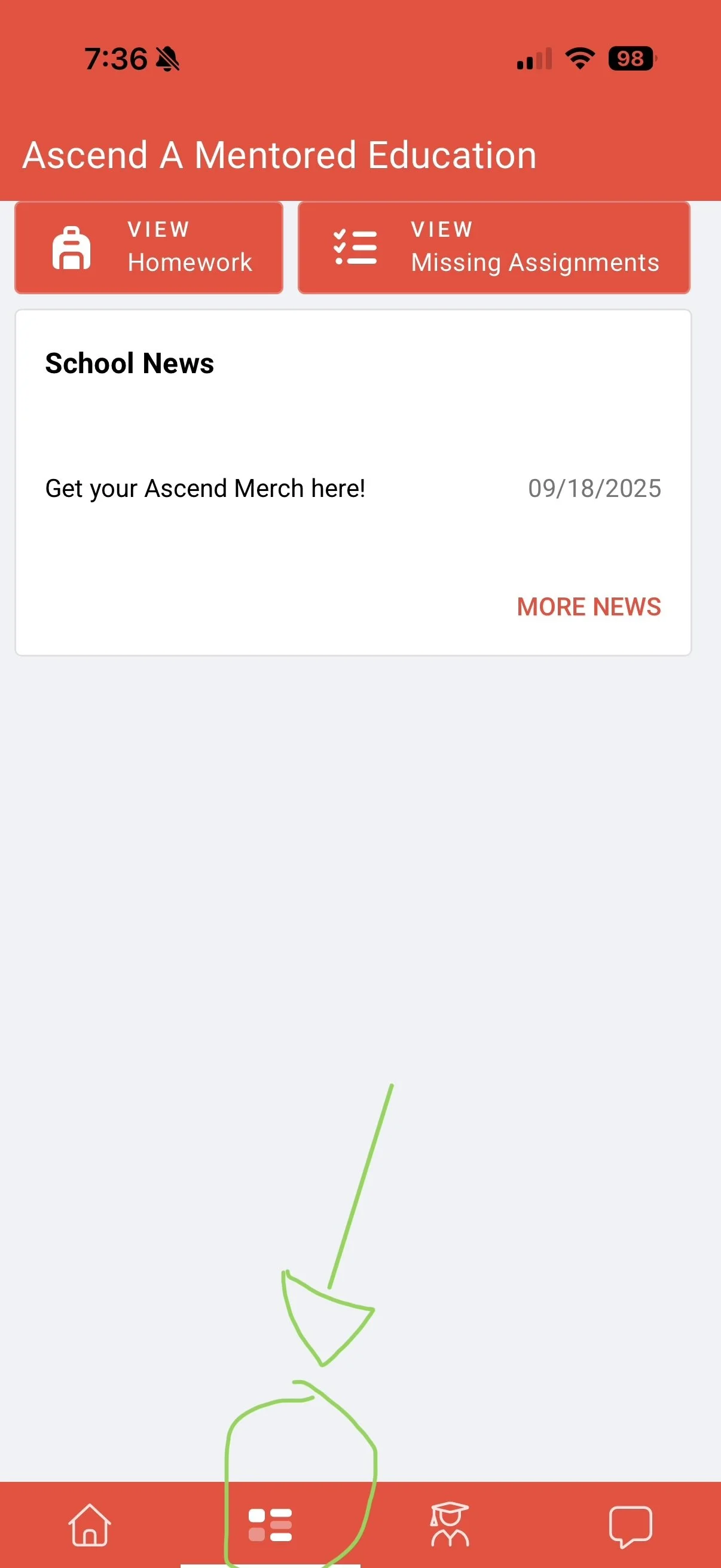
Click on the diagram at the bottom of the homepage that is a square with 5 blocks in it:
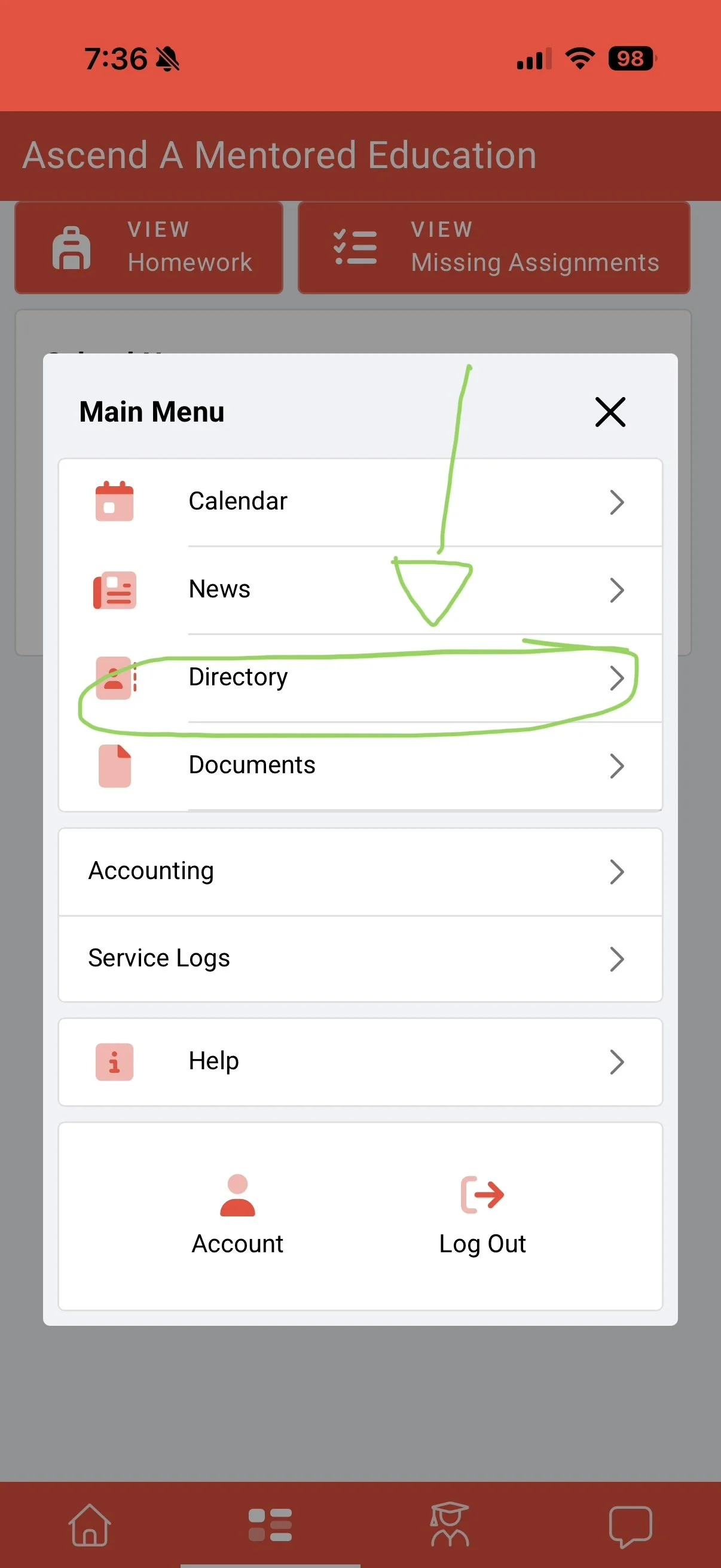
3. Press the “Directory” link: